

Announcements
Read company news, react and comment, find older posts — and, if you publish, target an audience and see who has actually read it.
What you can do here
- Read company and team news in one feed.
- React, and join the discussion.
- Find older posts by category, date, or search.
- If you publish: choose exactly who sees a post, schedule it, and check who's actually read it.
Reading
Announcements is the feed, with anything important Pinned at the top. Open a post to read it in full — opening it marks it as read for you.
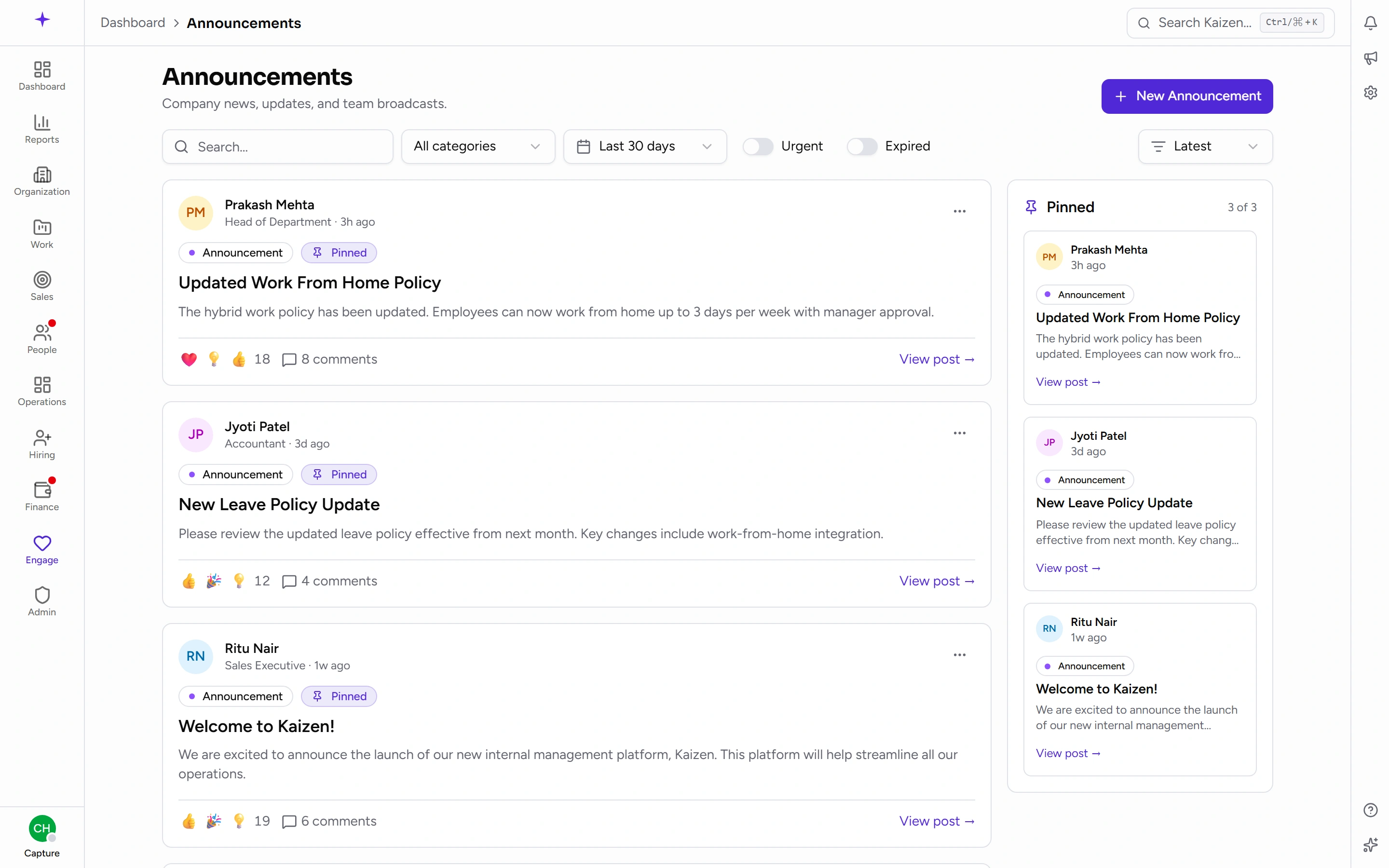
React with an emoji, and if comments are open, add one. Type @ to mention a colleague and they'll be notified.
Finding an older post
Search, or filter by category, by date (Last 7 days through All time), and with the Urgent and Expired toggles. Sort by Latest, Oldest, or Most read.
Most read is a useful sort when you're trying to find "that post everyone was talking about" and can't remember when it went out.
Publishing
Write the post with a title, a category, and the body. You can attach files, mark it urgent, pin it, set an expiry, and schedule it for later rather than publishing now.
If an attachment is too big you're told so plainly, and told the size that would work — That file is larger than the … this server accepts. Choose a smaller file and try again. The figure in that message is what your server genuinely takes rather than a number someone typed into the form, so a file under it will go through. For anything bigger, link to it instead of attaching it.
Save it as a draft if it isn't ready.
Choosing the audience
Four options:
- All employees
- By business unit
- By department
- Specific users
Targeting properly is what keeps the feed worth reading. An IT maintenance notice sent to everyone trains people to skim; sent to the affected department, it gets read.
Seeing who has read it
Each announcement has Read receipts — who has opened it and who hasn't.
That's the tool for anything that genuinely must land: send it, wait, then chase the people who haven't read it rather than re-broadcasting to everyone.
Good to know
- Expiry hides a post from the feed; it doesn't delete it. Use the Expired filter to find one again.
- Pinned and urgent are separate: pinning keeps a post at the top, urgency marks its tone. Using both on everything makes neither mean anything.
- Scheduled posts publish on their own — no one needs to be online at the time.
- For a question rather than a broadcast, use a poll instead.