

Clients
Keep client accounts and their contacts, and read the account's real picture — projects, leads, invoices, receivables and payment behaviour.
What you can do here
- Keep the client record: who they are, how to bill them, and on what terms.
- Hold as many contacts per client as you need.
- See everything connected to the account — leads, projects, and invoices — in one place.
- Read how the account is actually performing: what's been received, what's outstanding, and how promptly they pay.
Finding a client
Clients lists the accounts you can see, with the Company, its Stage, a Score, the Salesperson, how many Projects it has, and its Status.
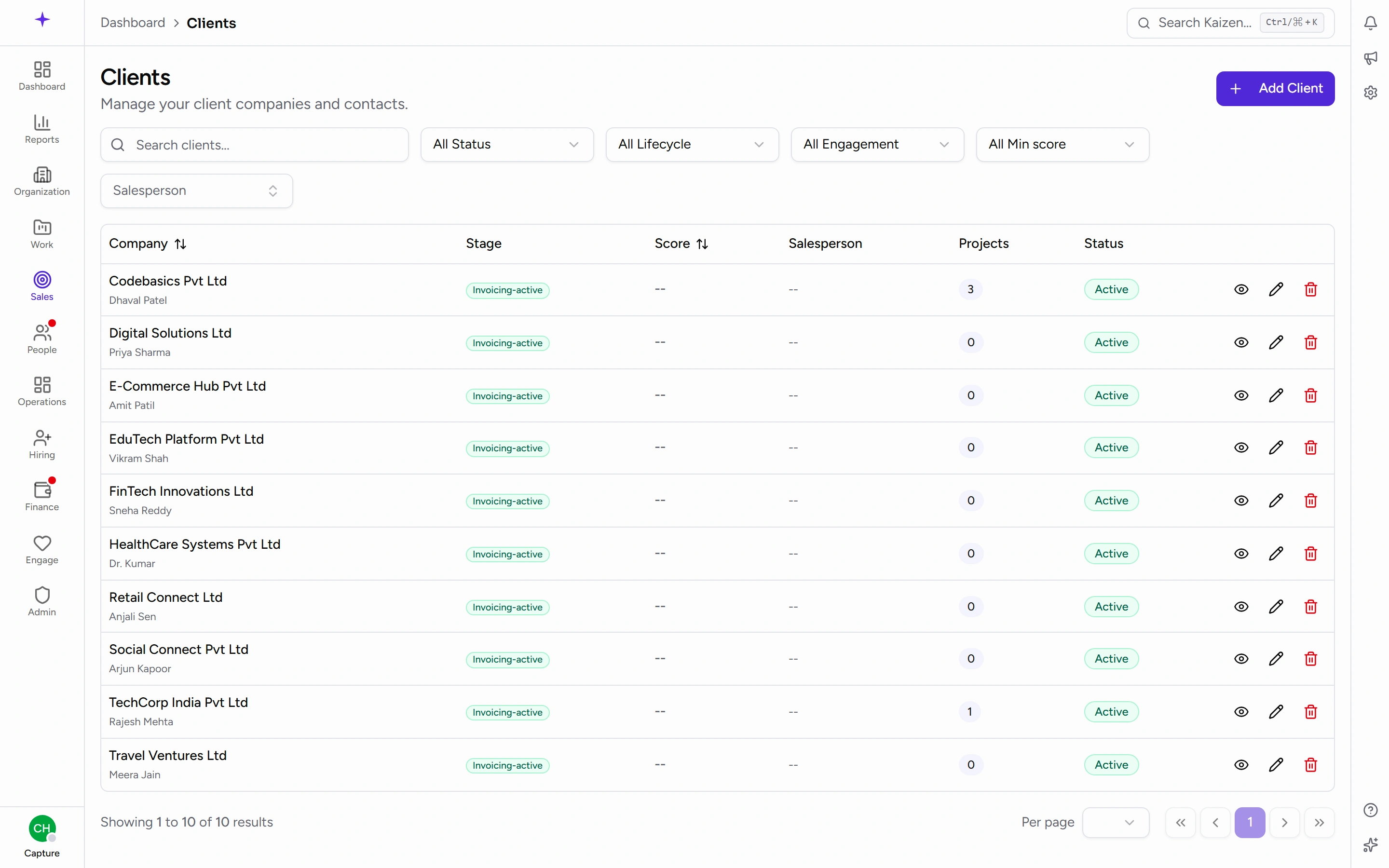
Filter by Status (Active / Inactive), by Lifecycle, and by Engagement — Active, Dormant, or Archived. Dormant is the useful one: accounts that haven't gone anywhere lately but aren't closed.
Adding and editing a client
The form takes:
- Company Name — the only required field
- Contact Person, Email, Phone
- GST Number and Address
- Currencies — a client can have more than one
- Payment Terms (days) — for example 30
- Active
- Channel partner — for accounts that bring you work rather than buy it directly
Payment Terms and Currencies are the two worth getting right at the start, because invoicing takes its lead from them and the credit-period analysis measures against them.
Inside a client
Details and contacts
The Details panel holds the commercial record. Contacts are kept separately, each with a Name, Email, Phone, and Designation, and a client can be either a Company or a Person.
What's connected
Three sections tie the account together:
- Leads — opportunities, with their Stage, who they're Assigned To, and when they were Created.
- Projects — each with its Department, Status, and Manager.
- Invoices.
How the account is doing
- Client Health Score — an at-a-glance rating, also shown as Score on the list. Marked Provisional where there isn't enough history to be confident.
- Total Received and Outstanding Due.
- Credit Period Analysis — the Given Credit Period next to their Fastest Payment, Slowest Payment, and Actual vs Given.
- Recent Payments.
Actual vs Given is the number to look at before agreeing longer terms: it says whether this client has ever honoured the terms they already have.
Good to know
- Deactivate rather than delete. Turning Active off keeps the history, the invoices and the projects intact.
- A client created by converting a won lead arrives with its commercial fields already filled in from the lead — check them rather than assuming.
- The health score and credit analysis are built from invoice and payment records, so an account with little billing history shows a thin picture, not a bad one.