

Finance & payroll
Your payslip
Find your payslips, read the full monthly breakdown, download the PDF, and check the pay and bank details Kaizen holds for you.
What you can do here
- See your recent payslips and their status.
- Open a month in full — earnings, deductions, attendance, and net pay.
- Download the PDF.
- Check the pay, bank and statutory details Kaizen holds for you.
Where it lives
Open your Profile and go to the Finances tab. It holds several cards:
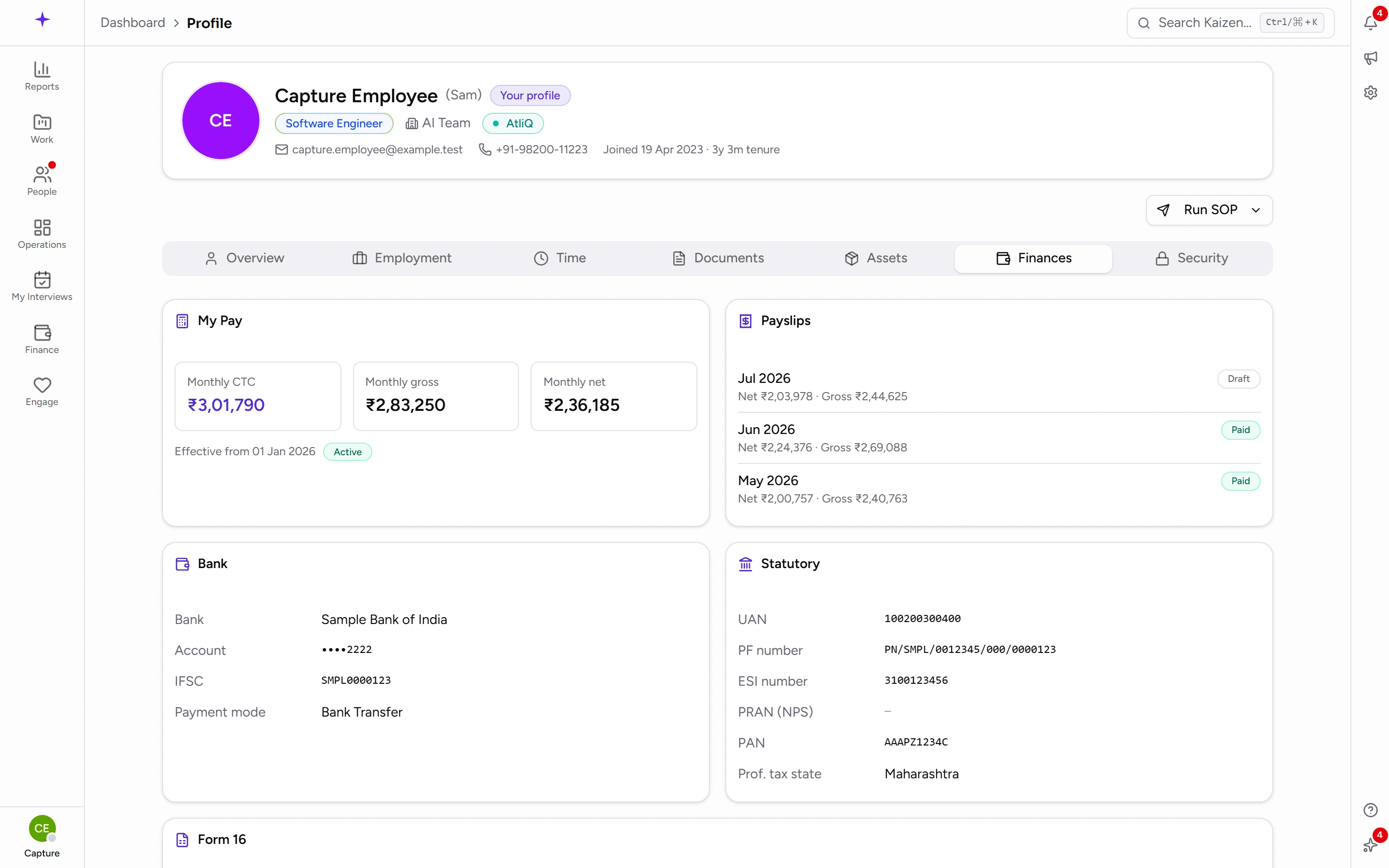
- My Pay — your Monthly CTC, Monthly gross, and Monthly net, with the date they take effect from.
- Payslips — your recent months, each with its Net, Gross, and status.
- Your Bank details: Bank, Account, IFSC, and Payment mode.
- Your statutory numbers: PF number and ESI number.
Worth checking the bank details once, when you join and any time you change accounts — a wrong account number is only noticed when a payment fails.
Getting a payslip
- When a month's payroll is finalised you get a Payslip Available notification, and an email with the PDF attached.
- Open the notification or the email to reach the full payslip: earnings, taxes and deductions, that month's attendance, and net pay.
- Download the PDF from there.
The Payslips card in your profile is a summary list — use the notification or the email to open and download the full document.
If something isn't there
- No payslips yet. — no payroll has been finalised for you. Normal if you've just joined.
- Salary structure pending payroll setup. — your salary structure hasn't been set up yet. That's an HR or payroll task, not something you can fix from your side.
- A month you expected and can't see usually means that payroll run hasn't been finalised. Payslips appear when the run is finalised, not when the month ends.
Good to know
- A payslip is generated per payroll run, so the figures reflect the structure and attendance in force for that month — not your current structure.
- If a payslip looks wrong, raise it with payroll with the month and the specific line rather than the total; deductions are usually where the difference is.
- Your Finances tab is visible to you, and to the people whose role allows it. Colleagues browsing the directory do not see it.