

Giving interview feedback
See the interviews you're on the panel for, read the candidate beforehand, join the call, and submit your scorecard.
What you can do here
- See every interview you're on the panel for.
- Read up on the candidate before the call.
- Join the meeting.
- Submit your scorecard afterwards.
You don't need access to the hiring portal for any of this — being on a panel is enough.
Your interviews
My Interviews splits them into Upcoming, Feedback Pending, and Past.
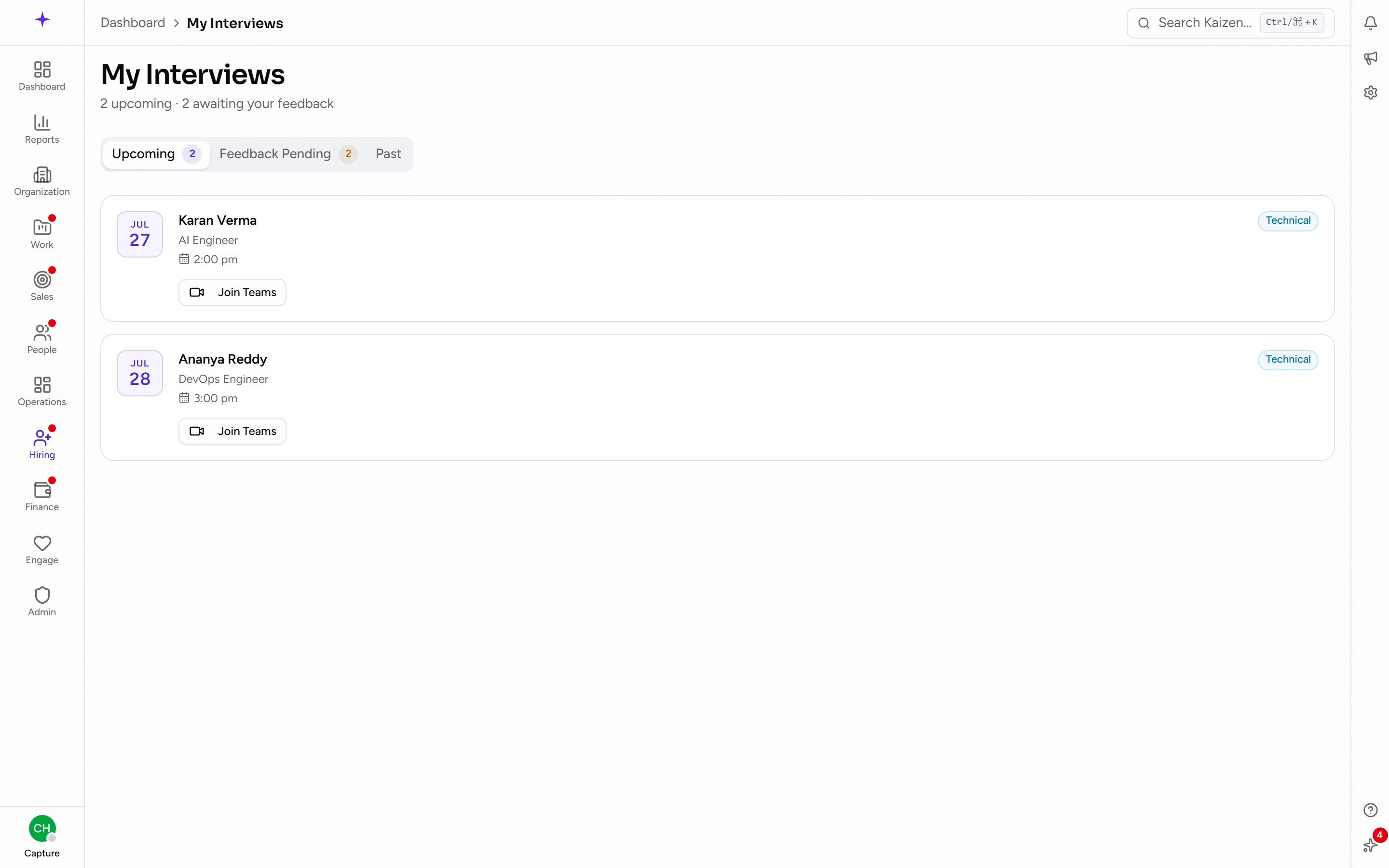
Each shows the round — Screening Call, Technical, HR Round, Managerial, Final, or System Design — the date and time, and who else is on the panel.
Anything waiting on you also appears under Hiring in Your Priorities on your dashboard.
Before the interview
Open the candidate from your interview to read their details and resume. Two minutes here is the difference between a useful interview and a repeat of the screening call.
Joining
Use the meeting link on an Upcoming interview. If there isn't one, the calendar step may have failed when the interview was booked — tell the recruiter, who can retry it or paste a link in manually.
Submitting your scorecard
After the interview it moves to Feedback Pending.
- Open it and score each criterion. The default set is technical, communication, and culture fit, each with a described scale so a "3" means the same thing to everyone.
- Give your overall Decision — hire, no hire, or hold.
- Write your Notes: what stood out, and anything that concerned you.
- Save. The interview moves to Past.
The rating scale is configurable, so the criteria and the wording behind each level are whatever your company has set up — read the descriptions rather than assuming.
Why you can't see anyone else's feedback yet
Other panellists' written feedback for a round stays hidden until you've submitted your own. That's deliberate: it keeps each opinion independent rather than converging on whoever wrote first.
Good to know
- Submit while it's fresh. Detail decays fast, and "seemed fine" a week later helps nobody.
- Hold is a legitimate answer when you genuinely need another data point — better than a soft "hire" you don't mean.
- Your notes outlive the hire. They're what gets read if the same person applies again, or if a decision is questioned later.