

Your performance reviews
Complete the reviews assigned to you, read what has been written about you, and acknowledge your manager's review.
What you can do here
- Fill in your own self-assessment.
- Write reviews for other people when you're the reviewer — as their manager, or as a peer in a 360 cycle.
- Read what's been written about you once it's submitted.
- Acknowledge your manager's review, which closes it off.
Where to find it
Reviews holds two lists: reviews about you, and reviews you have to write. Each shows the Review Cycle, the other person (Reviewer on yours, Reviewee on theirs), the Type, the Status, and the Rating once there is one.
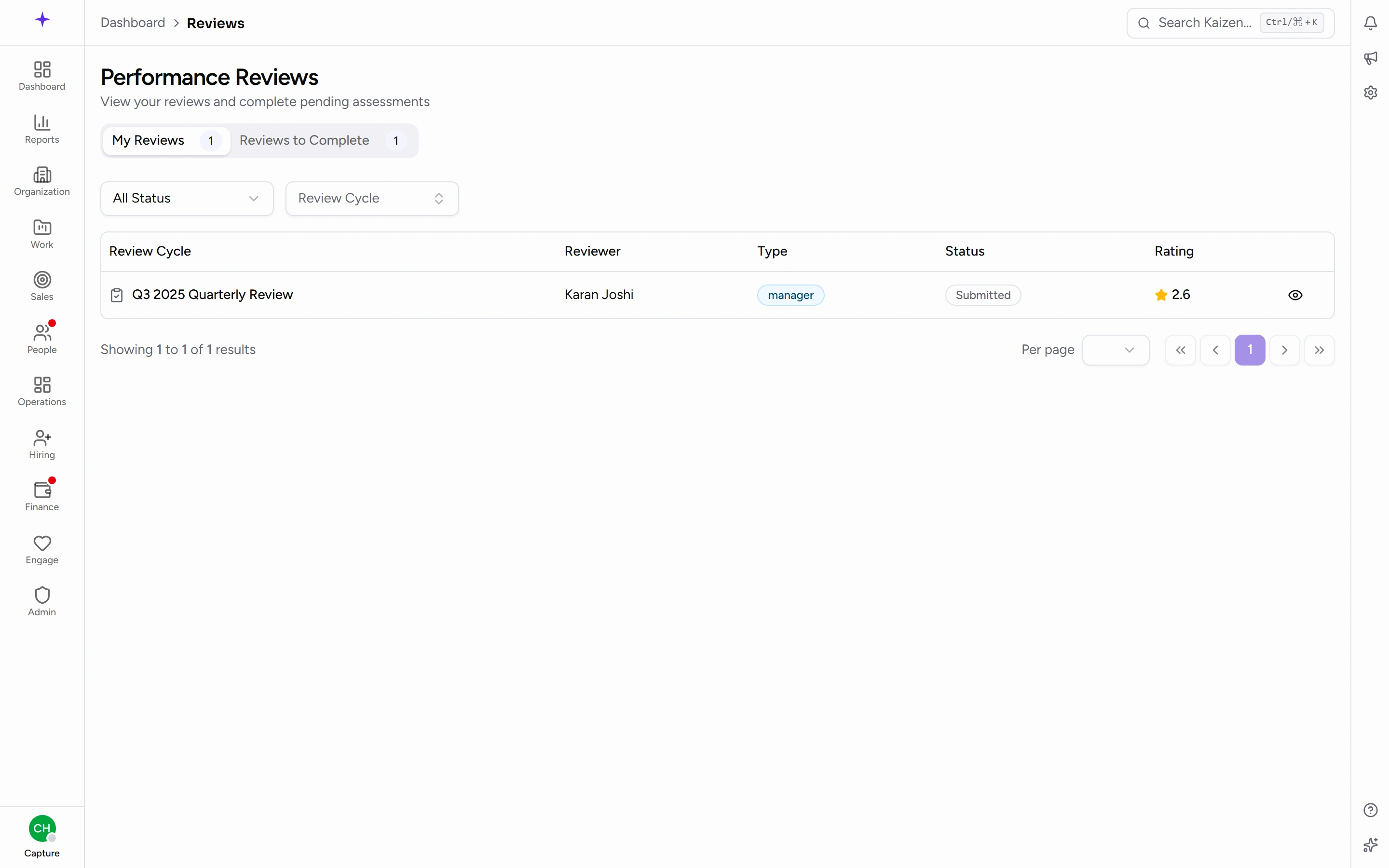
Filter by Status — Pending, In Progress, Submitted, Acknowledged — or by Review Cycle to look back at an earlier round.
What a review is made of
Three parts, in this order:
KRAs — your key result areas. Each carries a Weight, so they don't all count equally, and takes a Rating and Comments.
KPIs — the measures under those areas. Each has a Target and up to three numbers: an Auto Value that Kaizen calculates where it can, a Manual Value you enter where it can't, and a Final Value that's the one actually used. Then a Rating and Comments.
Overall Assessment — an Overall Rating, Strengths, Areas for Improvement, and Additional Comments.
Common tasks
Complete your self-assessment
- Open Reviews and find your own review for the current cycle.
- Open it and start editing.
- Work down the KRAs, giving each a rating and comments.
- Do the same for the KPIs. Where an Auto Value is filled in, check it rather than retyping it; where it isn't, enter the Manual Value and set the Final Value.
- Complete the Overall Assessment.
- Save Draft as you go — you can come back as often as you like.
- When you're ready, Submit Review and confirm. The prompt is blunt about it: once submitted, this review cannot be edited.
Write a review for someone else
The same form, from the list of reviews you owe. As their manager, or as a peer in a 360 cycle, you rate the same KRAs and KPIs and write the same overall assessment. Save Draft and Submit Review work identically.
Read your result
Once your reviewer has submitted, open the review from the list. You'll see their ratings against each KRA and KPI, the weights, the Overall Rating, and what they wrote under Strengths and Areas for Improvement.
Acknowledge it
Open the submitted review about you and acknowledge it. That records that you've read it and moves the review to Acknowledged, which is the last step.
Acknowledging means you've seen it, not that you agree with it. If you don't, say so to your manager — the comment fields are the reviewer's, not yours.
Good to know
- Submitted is final. There's no unlock, so use Save Draft freely and submit only when you're finished.
- Pending means nobody has started it; In Progress means there's a draft saved.
- A 360 cycle generates more reviews than a manager cycle — you may be asked for peer reviews as well as your own.
- Reviews are generated when a cycle is activated. If you expect one and there isn't one, the cycle probably hasn't been launched yet.