

Inquiries
Triage website contact-form submissions, convert the good ones into leads, and manage the sources they arrive from.
What you can do here
- Work through contact-form submissions in one inbox.
- Classify each one, give it an owner, and leave notes for whoever picks it up.
- Turn a real opportunity into a lead without retyping it.
- Keep the inbox clean, and recover anything wrongly binned.
- Connect new website forms and tune what gets auto-flagged as spam.
Inquiries arrive on their own from your website forms. You don't create them by hand.
Working the inbox
Inquiries lists everything that's come in. Narrow it with Search inquiries..., All Statuses, All Types, All Sources, All Assignees, and a date range.
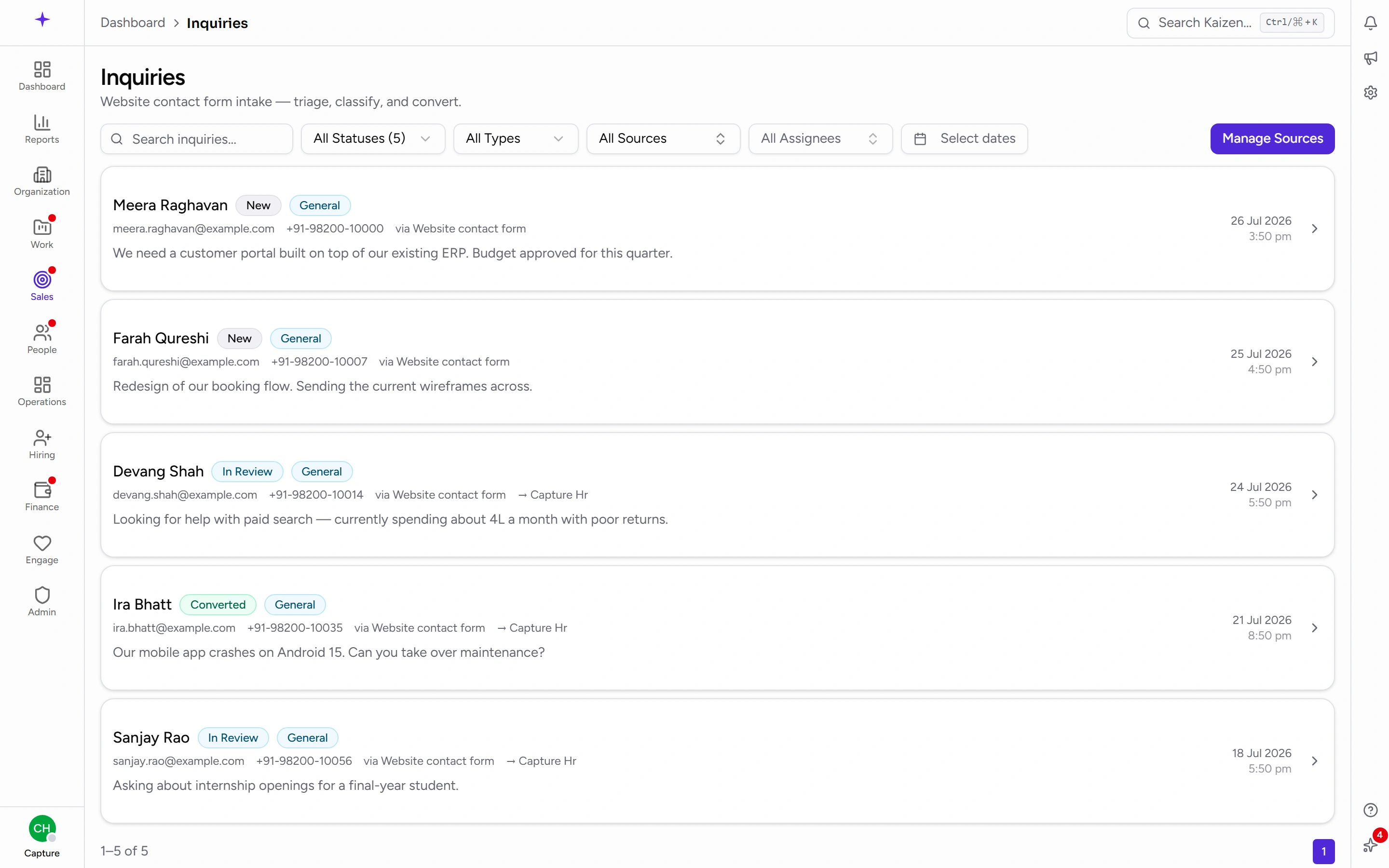
Statuses are New, In Review, Converted, Spam, and Discarded. Opening a new inquiry moves it to In Review by itself, so the inbox reflects what's actually been looked at.
Triage one
Open it. The Triage panel takes an Assignee (Unassigned until you set one), a type, and Internal notes for the team. Save it.
The inquiry's own page also shows any Custom Fields the form submitted, and Metadata about how it arrived — useful when you're deciding whether something is genuine.
Convert it into a lead
Convert from the inquiry. The lead form opens pre-filled, and once saved the inquiry is marked Converted and linked to the lead.
For a job application, forward it to hiring instead of making it a sales lead.
Keep the inbox clean
Mark an inquiry as Spam or discard it. Neither destroys anything — filter by that status to find it again, and spam can be un-marked.
Managing where inquiries come from
Inquiry Sources is the admin side, reachable from the inquiries page.
Each source represents one form or integration, with a Name, a Default Inquiry Type, an optional Default Assignee, and an Active switch. Setting the default type and assignee well is what stops the inbox needing manual triage for routine submissions.
When you add a source, Kaizen issues a signing secret — the shared value that proves a submission really came from your form. It's shown once: copy it then, because it can't be read back afterwards. If it's lost or leaked, rotate it and update the form with the new one.
Turn a source Active off to stop accepting submissions from it without deleting its history.
Spam keywords
Spam Keywords holds the list matched against an incoming message at intake, case-insensitively and on substrings. A match sets the inquiry to Spam automatically — but it stays in the spam list and can be recovered, so a keyword that's too broad costs you a review, not the enquiry.
Good to know
- Nothing is lost to triage. Spam and discarded inquiries are statuses, not deletions.
- An inquiry that never arrived is nearly always the source: check it's Active, and that the form is signing with the current secret.
- Converting is one-way in the sense that the inquiry is marked Converted — the record stays, linked to the lead it became.