

Client portal
What clients see when they sign in to their own portal, how the passwordless login works, and how to turn a client's access off.
What you can do here
- Understand exactly what a client can see.
- Explain the sign-in to a client who's stuck.
- Turn a client's access off, and back on.
The portal is separate from Kaizen. It's read-only, it signs in without a password, and clients never reach the internal app.
This page is the admin side — switching a client's portal on and off, and knowing what they can see. There's a companion page written for the client themselves: using your client portal. That's the one to send someone who's stuck on the sign-in.
How a client signs in
- They go to the portal login page and enter their registered email address.
- Kaizen emails them a sign-in link. There is no password to set or forget.
- The link is single-use and valid for 15 minutes. If they're too slow, or they open it twice, they simply request another.
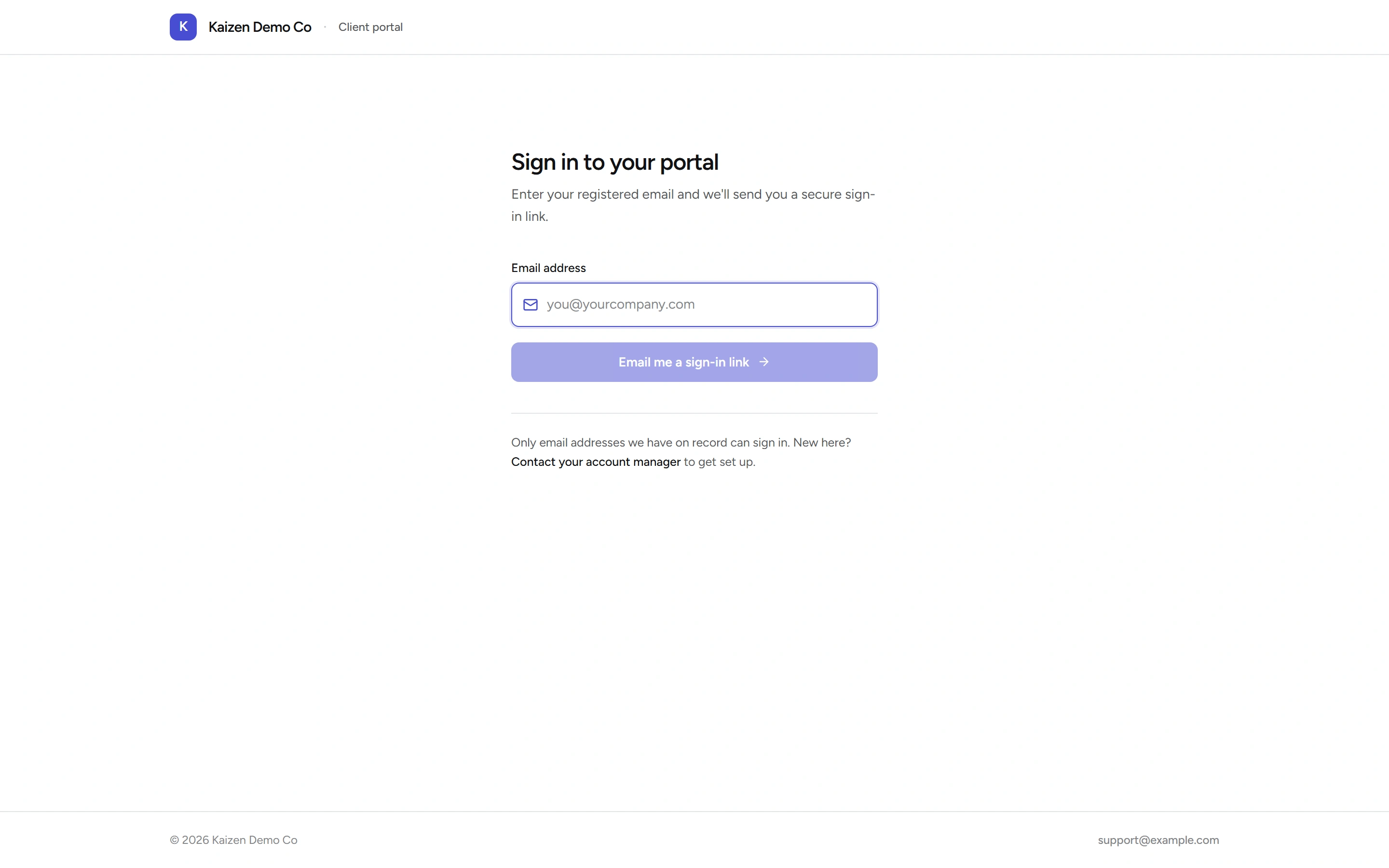
That 15-minute window is the single most common support question. The fix is always the same: ask for a fresh link and open it straight away, in the same browser.
What a client sees
A small dashboard with Active projects and Outstanding, plus Recent projects and Recent invoices, and full lists behind them:
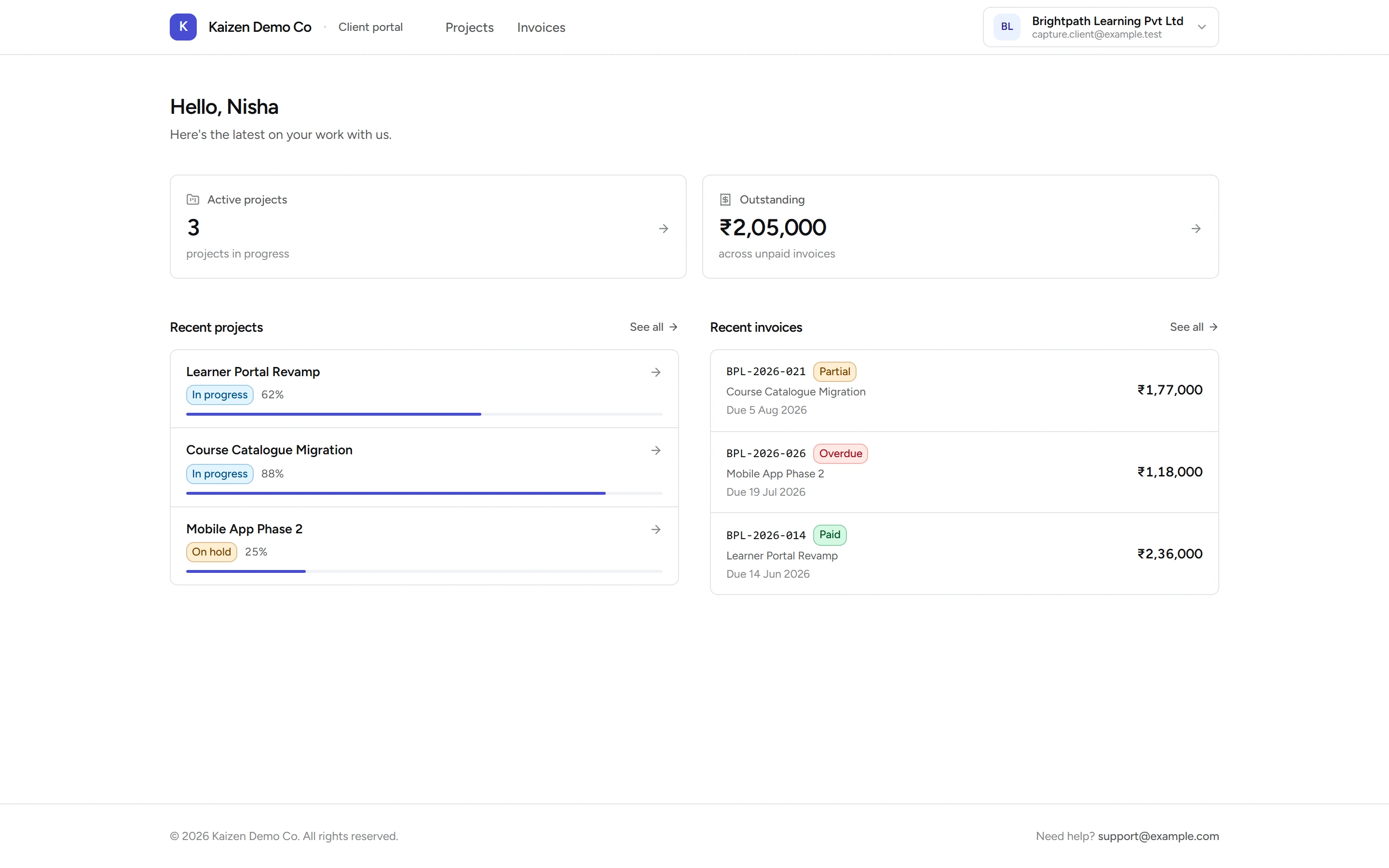
- Projects — the work you're delivering for them, with status and progress.
- Invoices — theirs, with the detail behind each one.
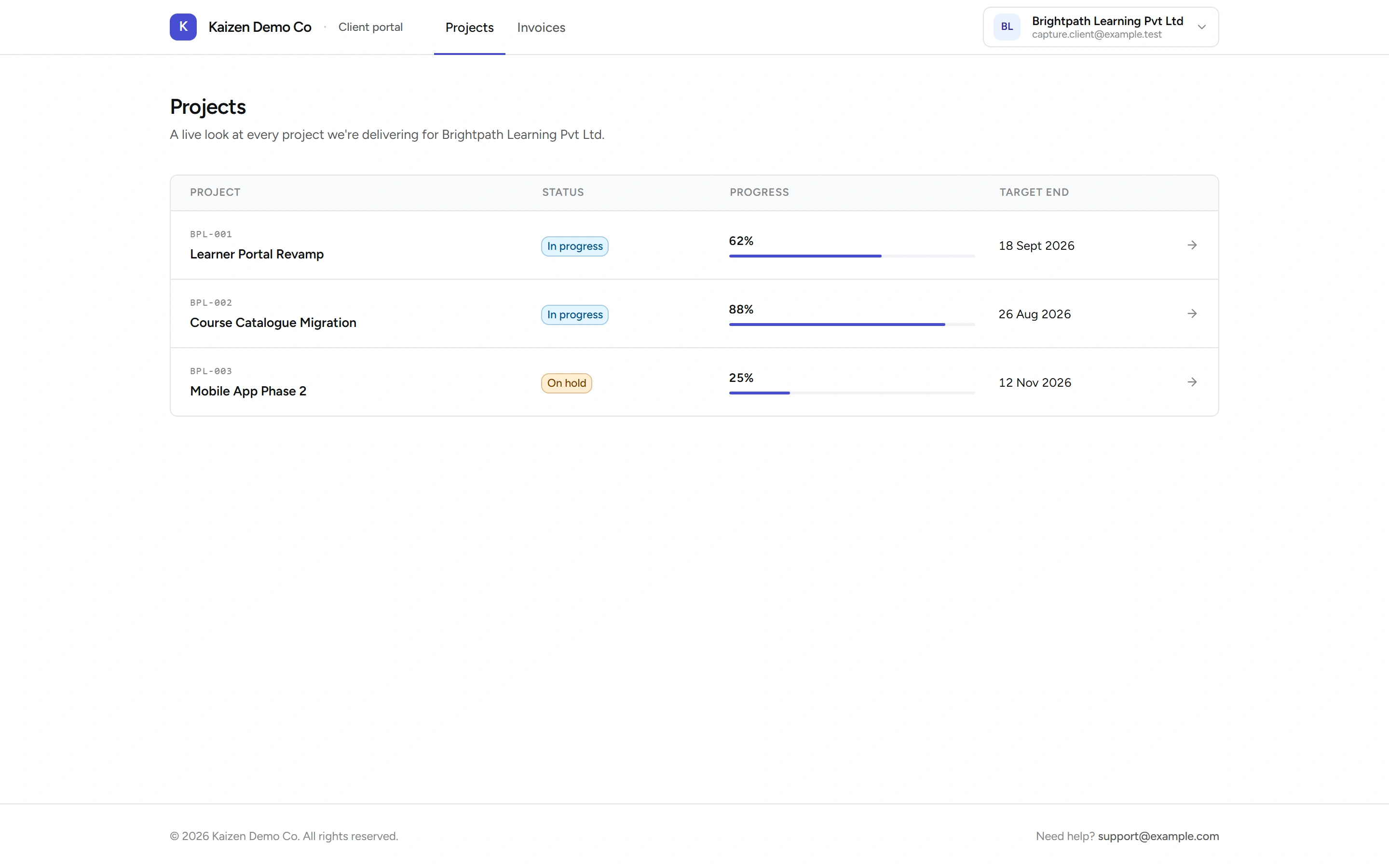
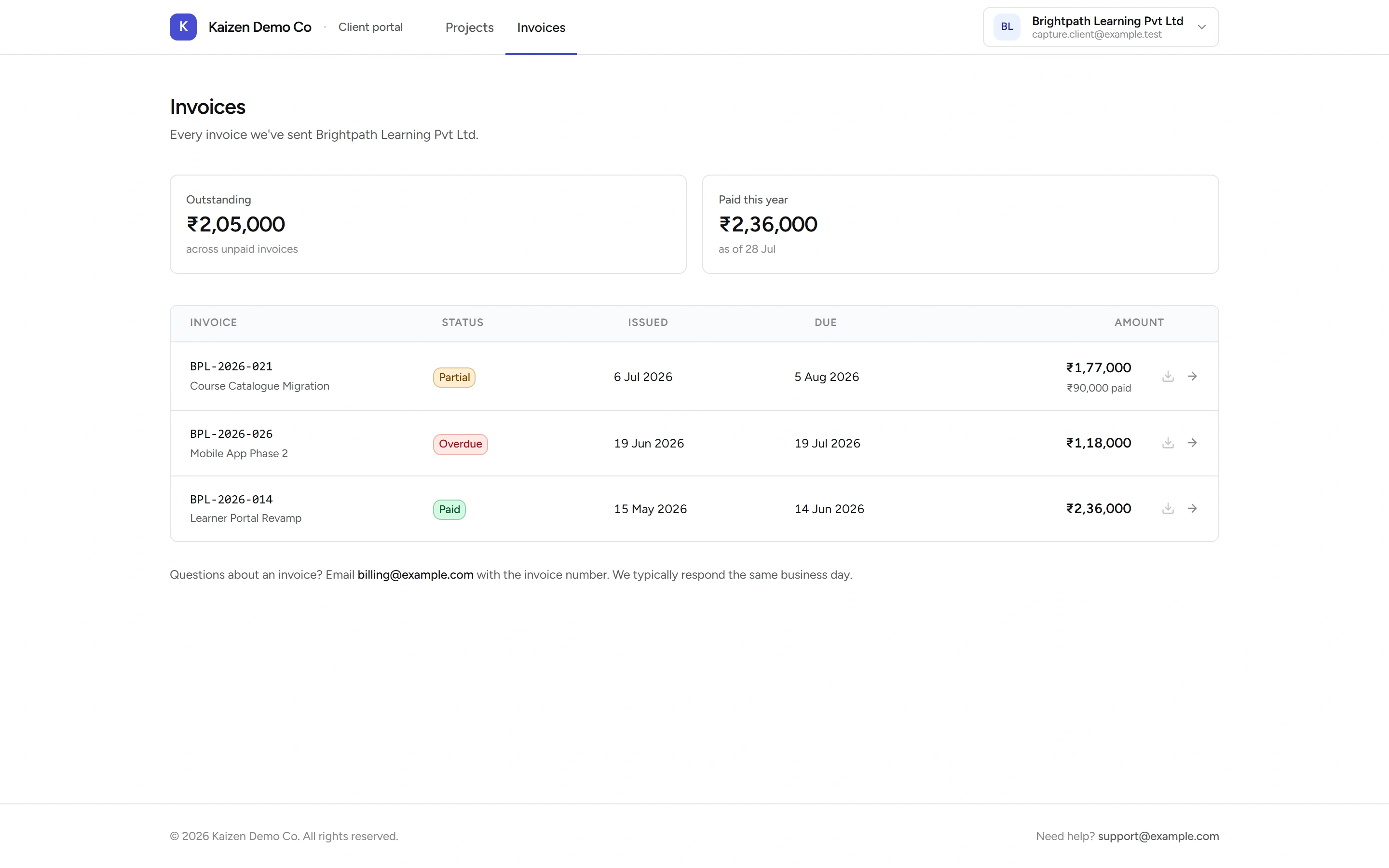
They see only their own records, and they can't change anything. There's no commenting, no uploading, no approving.
Who gets access
Access is automatic rather than invited: a client becomes eligible once there's something for them to see — a linked billing contact, an invoice, or an active project. You don't send an invitation.
Turning access off
Open the client from Clients and use the portal access control on their record to disable it. That blocks sign-in immediately and overrides the automatic eligibility until you re-enable it.
Worth doing when a contact's email may be compromised, when an account is in dispute, or when a relationship ends and the client shouldn't keep browsing history.
Good to know
- Disabling is immediate but not retroactive — it stops new sign-ins; it doesn't reach into an email already sent. Rotating access on a live dispute is best done alongside a conversation.
- Clients see invoices as they stand in Kaizen. If an invoice looks wrong to them, it looks wrong because it is — fix the record rather than explaining around it.
- The portal is deliberately thin. It answers "where's my project" and "what do I owe" without becoming another system for anyone to maintain.