

What's New
Catch up on product updates — new features, improvements, fixes and retirements — and, if you write them, draft, schedule and target entries.
What you can do here
- See what's changed in Kaizen.
- Read the detail behind any update.
- Clear the counter, one at a time or all at once.
- If you write them: draft, schedule, publish, and decide who each entry is for.
Catching up
Click the sparkles icon labelled What's New in the strip along the right edge — a count shows how many you haven't seen. Each update carries an icon for its type: a new feature, an Improvement, a fix, or a Deprecation.
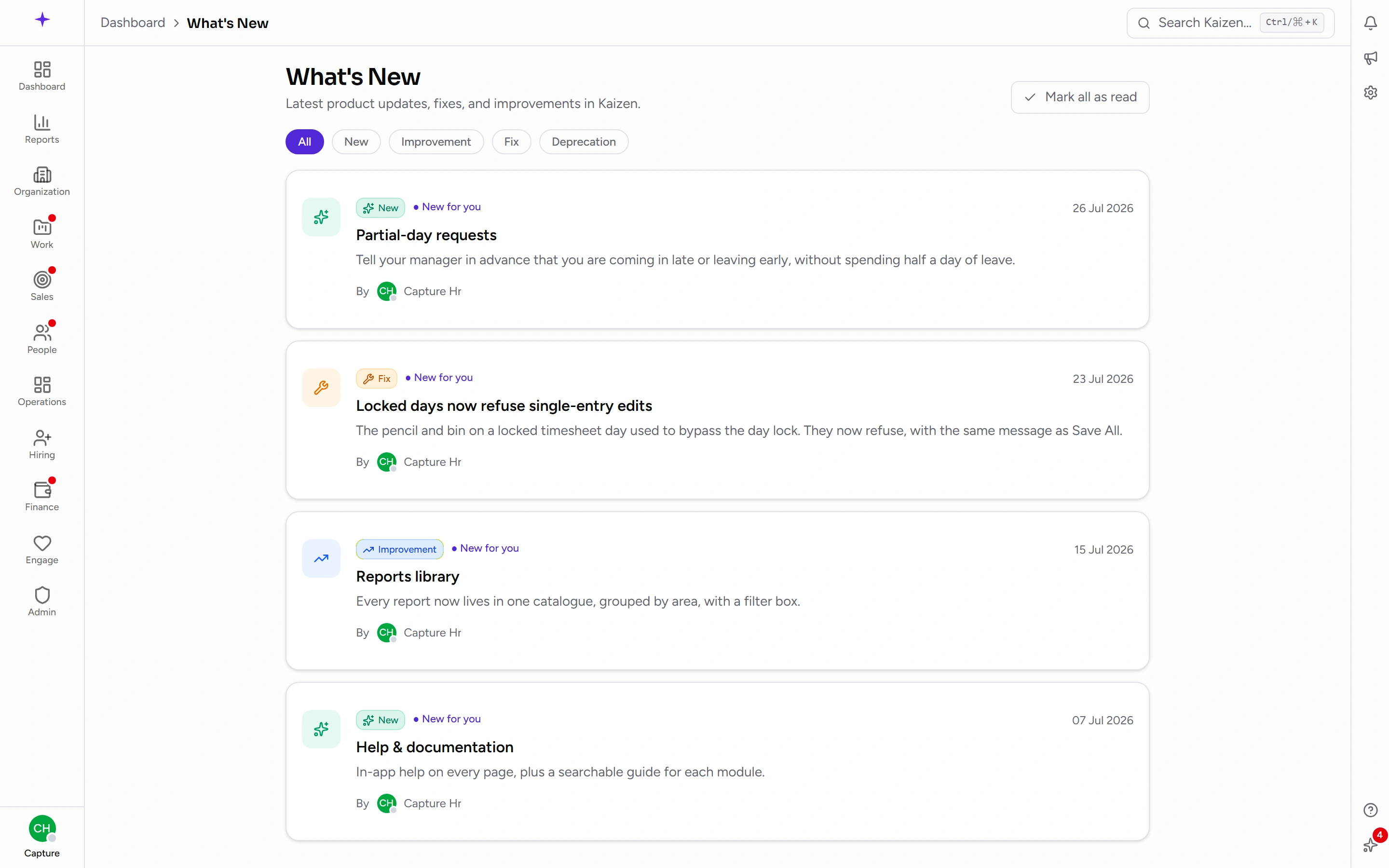
Open an update to read it; that marks it read. To dismiss one without reading it, use the dismiss action on the item. Mark all read clears the lot.
The full page adds filter pills so you can look at just one type — handy when you're specifically checking what's being retired.
Why your list differs from a colleague's
Entries can be targeted. An entry with no audience set goes to everyone; a targeted one only reaches people who hold the relevant permission.
So an update about payroll settings simply doesn't appear for people who don't do payroll. That's working as intended, not a sync problem.
And nothing published before your account existed counts as unread for you. A new joiner isn't greeted by every update Kaizen has ever published waiting to be cleared — the counter starts from the day their account was created. The older entries are still there to read; they just aren't news. If your workspace is brand new, that's why the counter is quiet on your first day rather than showing the whole history.
Writing updates
Manage What's New is the authoring side, for people allowed to publish. Entries are organised as Drafts, Scheduled, and Published.
Write the entry, give it a type, and either publish it or schedule it for a date. Targeting is set here too — leave it open for everyone, or restrict it to the people the change affects.
Entries can be deleted, with a confirmation.
Scheduled is the one to use around a release: write the entry when the work is done, and let it appear when the feature actually ships.
Good to know
- What's New is about the product; announcements are about the company. A new feature belongs here; an office closure belongs in announcements.
- The counter is per person, so clearing yours doesn't clear anyone else's.
- Targeting reduces noise, but over-targeting hides genuinely useful changes. If in doubt, leave an entry open to everyone.