

Reports
One place for every report — delivery, time, attendance, people, and finance — with filters and Excel export.
What you can do here
- Find any report from one catalogue, grouped by area.
- Filter it down to the period, team, or project you care about.
- Export most of them to Excel to work on elsewhere.
Finding a report
Open Reports. Pick a category down the side, or type into Filter reports... to find one by name.
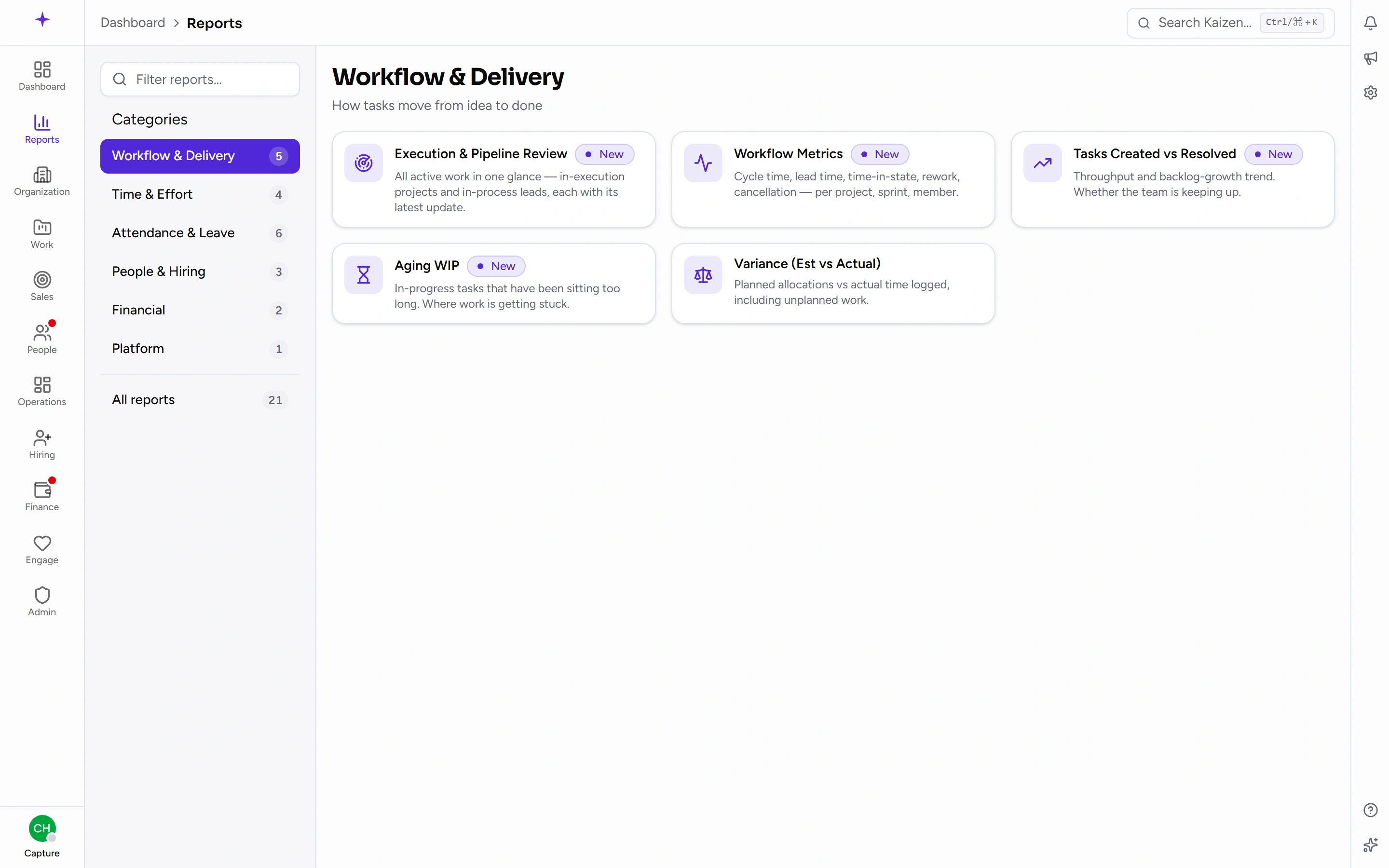
You only see reports your access allows, so the catalogue is shorter for some people than others.
What's available
Workflow & Delivery
- Execution & Pipeline Review
- Workflow Metrics
- Tasks Created vs Resolved
- Aging WIP — work in progress by how long it's been sitting, which is where stuck work shows up
- Variance (Est vs Actual) — estimates against what it really took
Time & Effort
- Employee Utilization
- Project Time
- Pre-Sales Effort — time logged against leads rather than projects
- Time Logs Report
Attendance & Leave
- Attendance Report
- Monthly Attendance
- Employee Monthly Summary
- Leave Summary
- Leave Balance
- WFH vs Office Split
People & Hiring
- Hiring Pipeline
- Headcount
- New Joiners / Exits
Financial
- Payroll Summary
- Salary History
Platform
- Help Analytics
Common tasks
Run and export
- Open the report.
- Set its filters — most take a date range or a month and year, and many also filter by department, project, or person.
- Where the report offers it, export to Excel.
Read the Execution & Pipeline Review
This is the one report worth describing on its own, because it's the weekly "where is everything" page rather than a table of numbers.
It has two tabs, with the same five columns in each — Name, Status, Owner, Progress remarks, Updated:
- Ongoing projects — every project still running, which means Active, In Progress and Maintenance. A project on hold, completed or cancelled isn't here.
- Presales leads — the deals still being worked, headlined by the deal, with the company underneath. A lead nobody has given a title to falls back to showing the company name.
Progress remarks comes from one place and one place only: the latest published update on the project's Updates tab. Not notes, not comments, not a task description. When a cell is empty it now tells you which of the three reasons it is:
- No update published yet — nobody has written one.
- An update by … is still a draft — it names who wrote it. Publishing it fills the cell.
- An update by … is scheduled and not published yet — one is written and waiting for its date.
That distinction is the point of the column: an empty cell used to be silent about whether the work was untracked or the update was simply sitting unpublished.
Check your own leave balance
Open Leave Balance under Attendance & Leave. It shows what's left per leave type. Managers and HR can widen it to their team.
Your balance is also on the leave page and on your dashboard — the report is the one to use when you want it for several people at once.
Good to know
- Reports are scoped to your access. A team lead sees their team's rows; HR and leadership see wider. Two people running the same report legitimately get different numbers, and neither is wrong.
- Time-based reports are built from time logs, so they inherit whatever people actually recorded. A thin-looking utilisation figure is often unfilled timesheets rather than idle staff.
- Variance (Est vs Actual) depends on estimates being set on tasks in the first place — it's only as useful as the estimating discipline behind it.